![GuestRevu-logo-white_no-slogan.png]](https://help.guestrevu.com/hs-fs/hubfs/New%20Logo/GuestRevu-logo-white_no-slogan.png?height=40&name=GuestRevu-logo-white_no-slogan.png)
Where do I find this report?
- Log in to your GuestRevu account at https://www.my.guestrevuapp.com
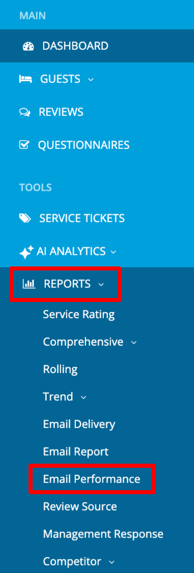
- Click on Reports > Email Performance
Your email performance report helps monitor your email communications by providing a deliverability percentage based on the number of emails sent versus those successfully delivered. It also allows you to track engagement metrics such as opens and clicks, including both total and unique open rates as well as total and unique click rates.
💡 Top Tip: You can view key delivery issues such as bounces, rejections, and complaints, helping you quickly identify and investigate any potential problems affecting your email performance.
You can quickly narrow down results to find the specific emails you are looking for by using the Message Type filter. This filter allows you to drill down into specific areas of performance and better understand how different types of emails are behaving.
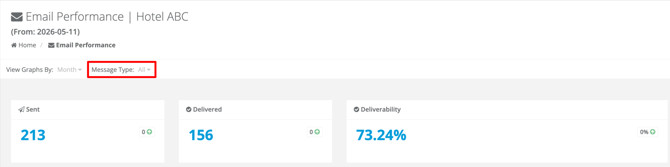
Any blue text is clickable and will take you directly to the Email Delivery Report, where you will be able to investigate specific metrics in more detail, such as unique clicks or bounce events.
To learn more about how GuestRevu works with email, click here or to find out more about your email delivery report and why it's important, click here.