![GuestRevu-logo-white_no-slogan.png]](https://help.guestrevu.com/hs-fs/hubfs/New%20Logo/GuestRevu-logo-white_no-slogan.png?height=40&name=GuestRevu-logo-white_no-slogan.png)
Where do I find this report?
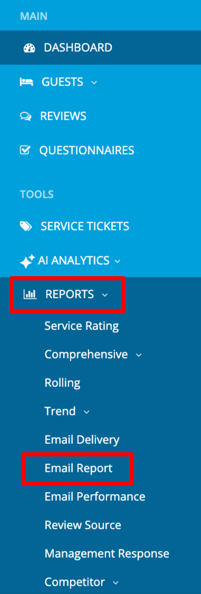
- Log in to your GuestRevu account at https://www.my.guestrevuapp.com
- Click on Reports > Email Report
Within the report table, you can easily view key details for each email that has been sent. This includes the recipient’s email address, the subject line of the email, the type of email sent, the guest associated with the communication, the Review ID, the language, and the date the email was created.
💡 Top Tip: The Review ID within the table is clickable, allowing you to navigate to the review directly from the report.
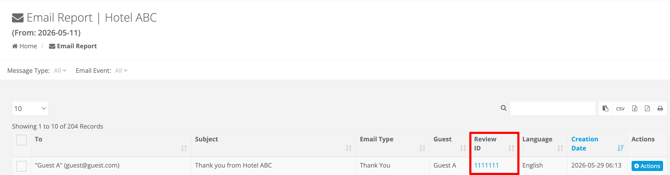
Each email entry also includes an Actions button, which allows you to preview the exact email that was sent to the guest.
This is helpful when you need to confirm the content of an email, check how it was displayed, or verify which communication a guest received.
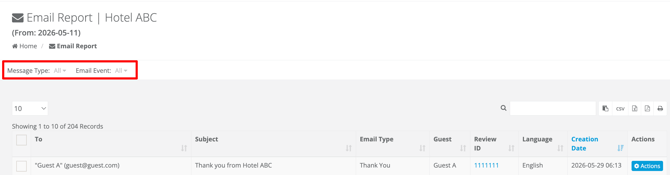
💡 Top Tip: You can quickly narrow down results to find the specific emails you are looking for by using the Message Type or Email Event filters.
Learn more about your email performance report to gain a great understanding of how your guests are interacting with the emails that are being sent.