![GuestRevu-logo-white_no-slogan.png]](https://help.guestrevu.com/hs-fs/hubfs/New%20Logo/GuestRevu-logo-white_no-slogan.png?height=40&name=GuestRevu-logo-white_no-slogan.png)
Unlike standard ratings, your GRR is worked out by taking multiple factors into consideration to give you an accurate, consolidated score to monitor.
|
This article applies to:
|
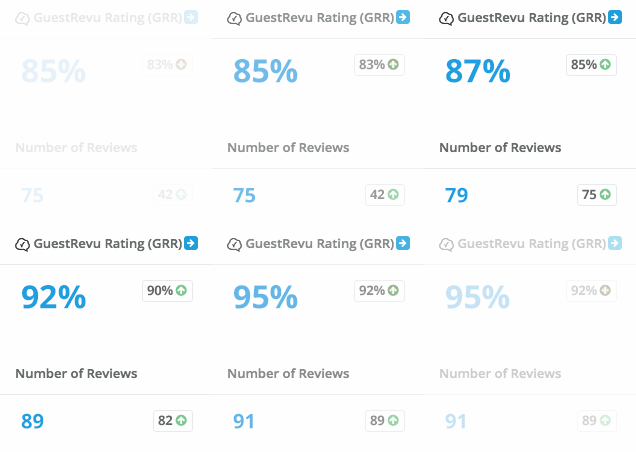
The GuestRevu Rating (GRR) combines both your questionnaire reviews and your online reviews.
For each questionnaire review, we calculate an Overall Rating by averaging all the Primary Service Ratings. Because Overall Satisfaction is the most important metric, we give it extra weight by doubling its value before averaging it with the other Primary Service Ratings.
To learn more on how your questionnaire review rating is calculated, click here.
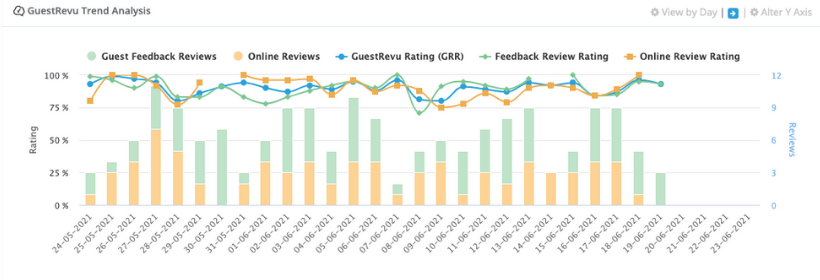
We then calculate your GRR by taking the average of all your Overall Ratings from both online reviews (e.g., Tripadvisor) and questionnaire reviews. This provides a true overall score of how your property is performing, which you can track in the GuestRevu Trend Analysis graph below.
Where do I find my GRR?
Your GRR is found on your dashboard and the GuestRevu Trend Analysis is just underneath it.
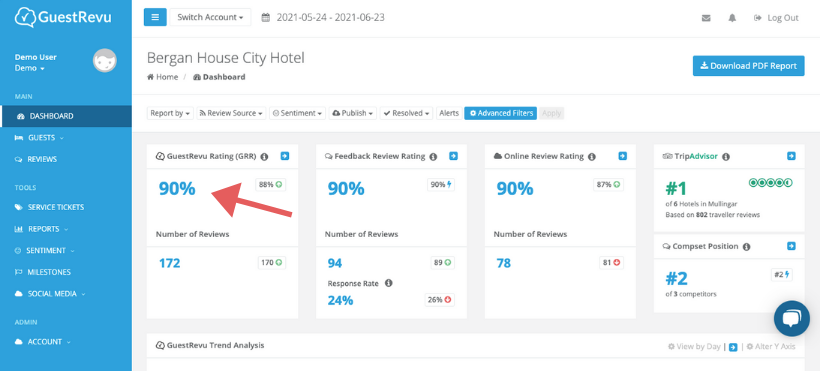
Clicking on the blue arrow will take you directly to your reviews tab

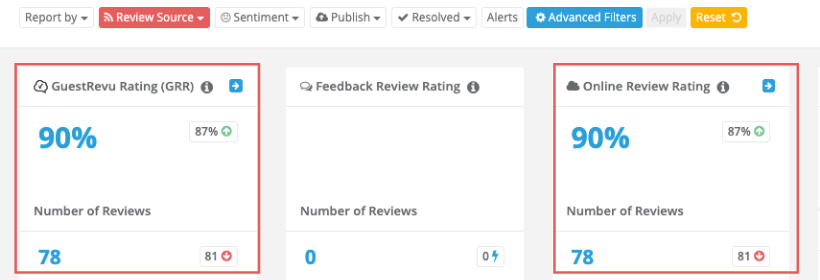
NB: If you filter your data, your GRR will automatically recalculate to reflect the score from the selected filter. For example, if you select the filter to show only online reviews, your Online Review Rating and GRR will reflect the same score.
💡 Top Tip
Having direct guest survey and online review data provides an overall picture of what guests have to say both to you and about you. If you only do one of the two, then you only see one side.